Enterprise asset management, sized for your operation.
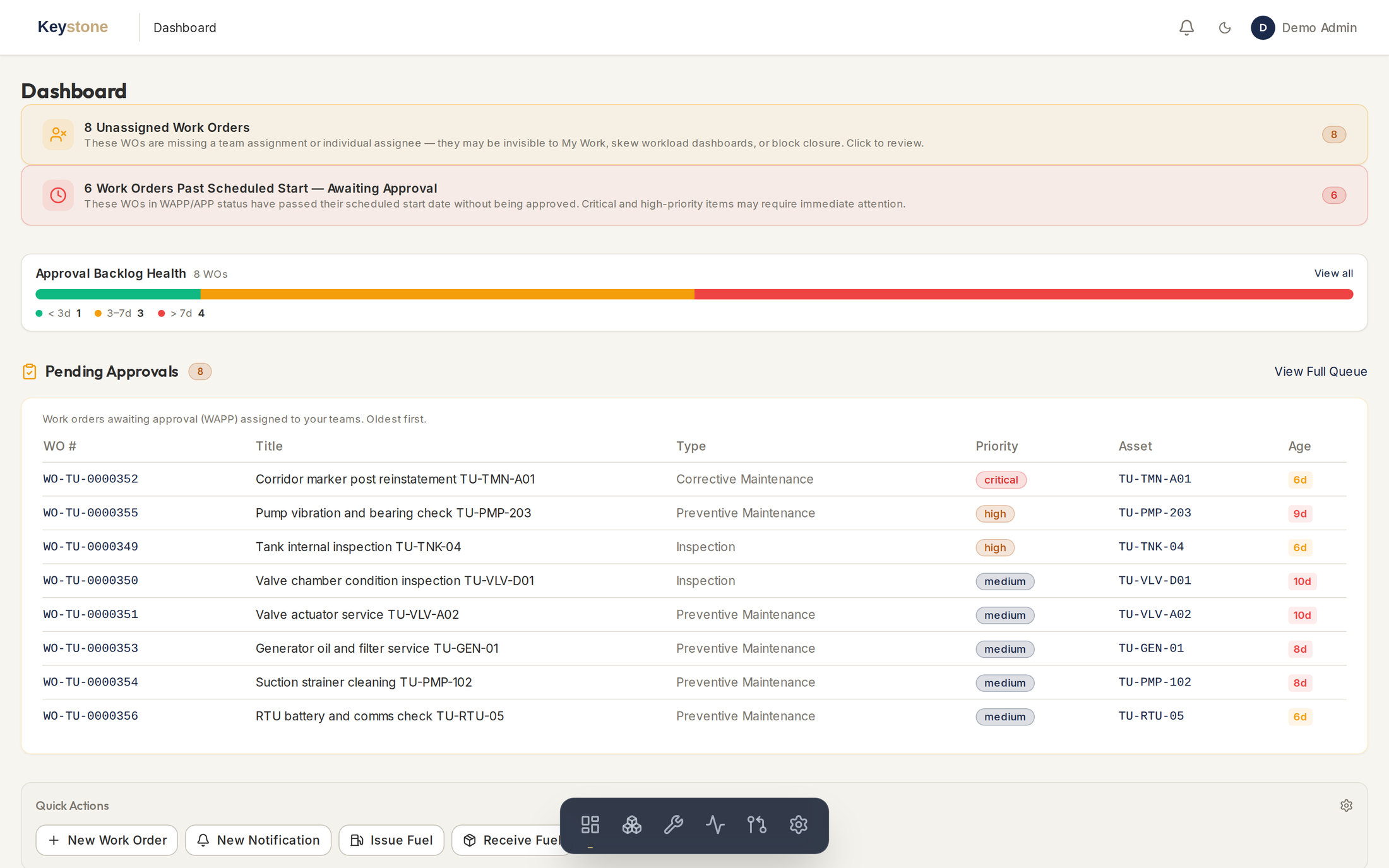
Keystone Asset is the hosted asset management system at the centre of the Keystone line, built for operators that maintain physical assets: fleets, fixed plant, networks, terminals. It covers the asset register, work orders, maintenance planning, spare parts, fuel and cost reporting, and it follows ISO 55000 and SMRP practice. PRAXIS builds it, hosts it and maintains it.
It came out of our rail asset management work in the GCC and is in daily operational use. The core is the same for any maintained asset base, from pumping stations and trunk mains to substations and fleets.
Small, asset-intensive operators.
Keystone Asset was written for operators that run a defined asset base rather than a sprawling enterprise. Water and power utilities. Transmission and distribution networks. Regional and industrial railways. Port and terminal operators. Quarries and process plants. The asset base is real, the regulator asks real questions, and the maintenance team is small.
Software at this end of the market tends to split two ways. SAP PM and IBM Maximo do the job properly, but the licence cost and the implementation programme behind them are sized for organisations many times larger. The alternative is a general-purpose CMMS that has never heard of a failure catalogue, a deferment approval or a strategy cycle. Most operators end up on spreadsheets and stay there.
Keystone Asset sits between the two. The maintenance management core is complete, not a cut-down edition. It runs in a browser, PRAXIS hosts it, and onboarding is measured in weeks.
What is in the system.
Every module below is in the current release. They share one asset register and one permission model, so a work order, a cost figure and a KPI all trace back to the same asset record.
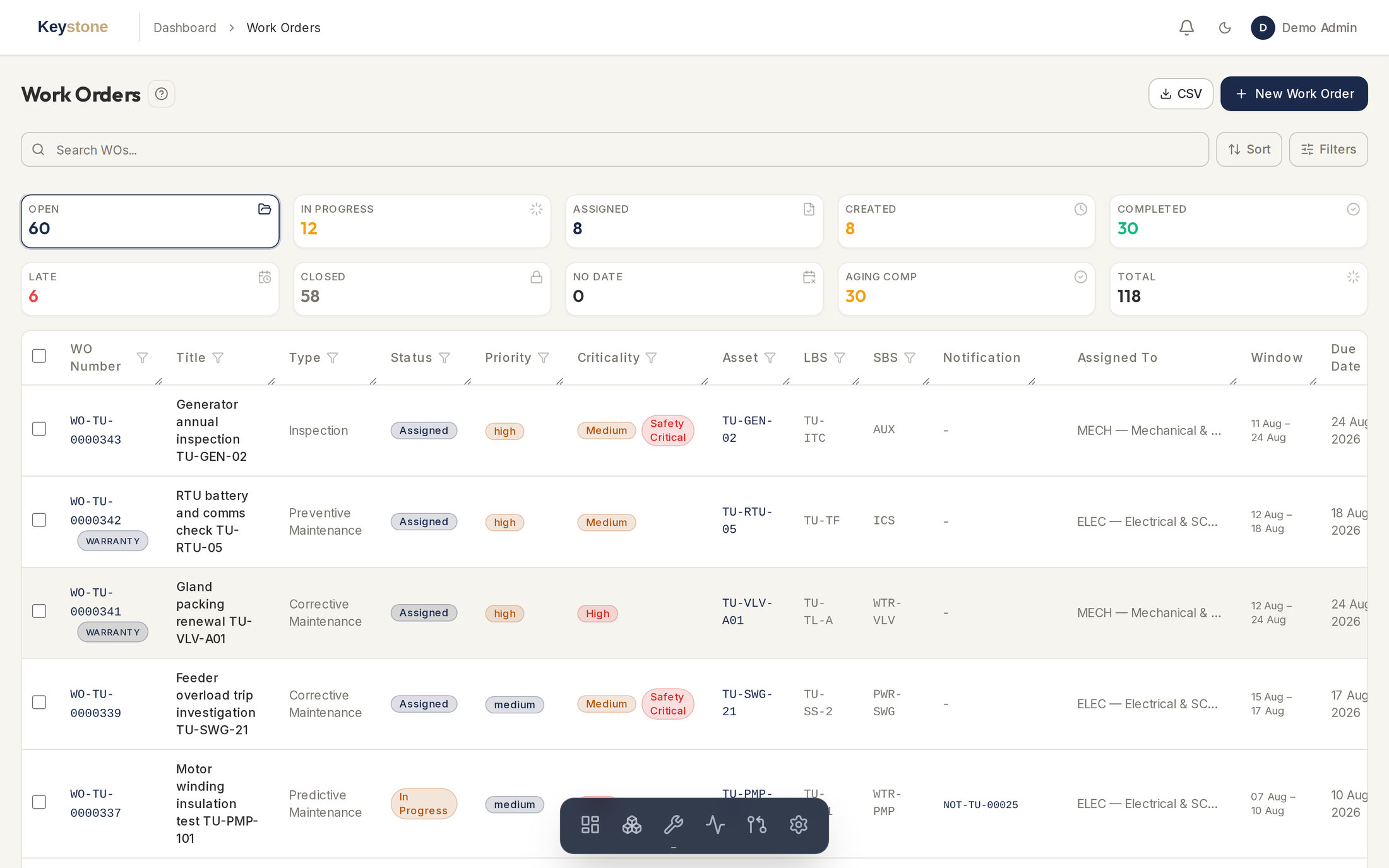
Asset Register
Every asset held once, classified by asset class and placed on a location and system breakdown structure. Criticality, meters, warranties and bills of material sit on the asset record. Renaming a location updates every record that points at it.
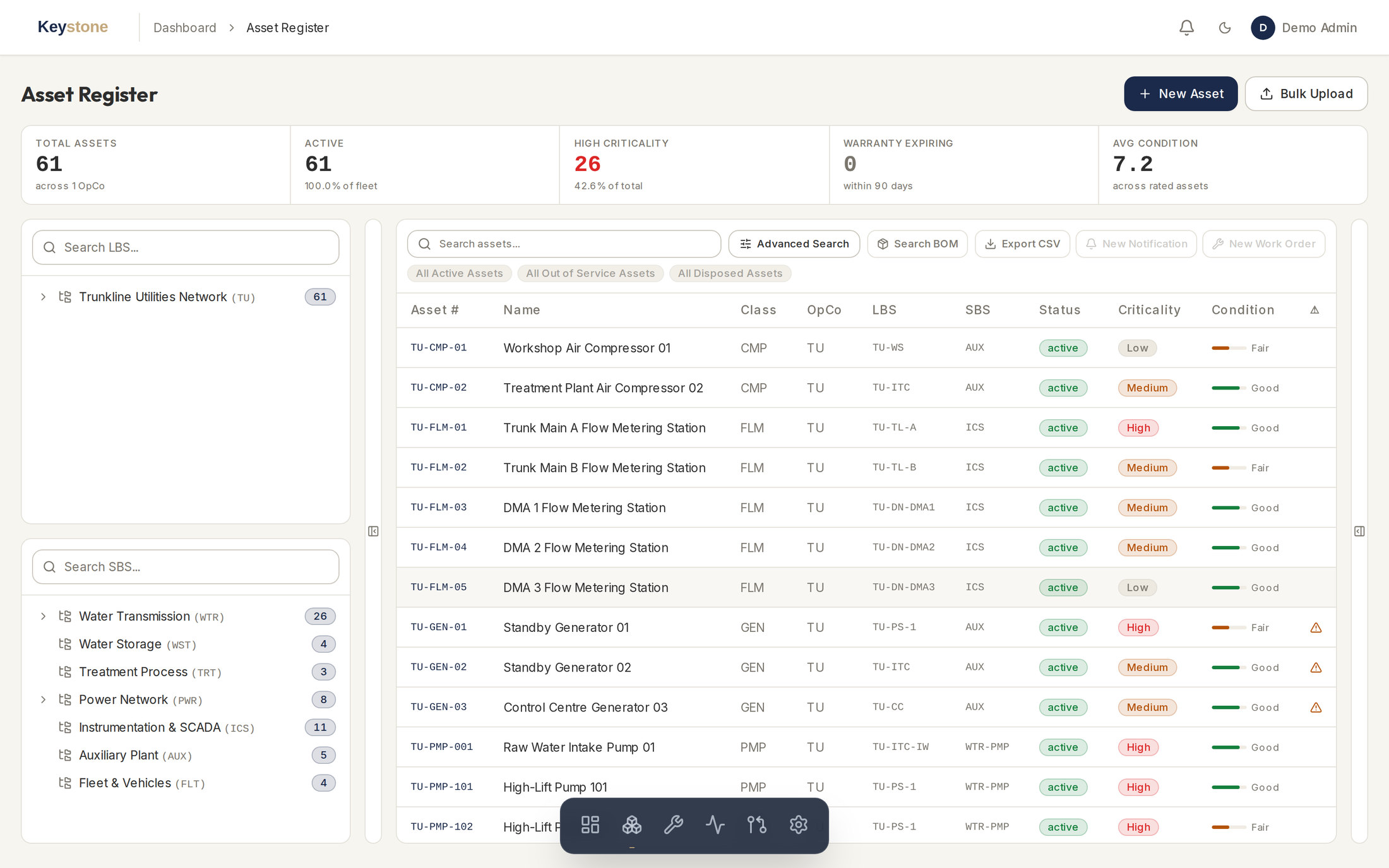
Work Orders
Full work order lifecycle with approval and review queues. Technicians confirm labour hours, parts, travel and third-party cost against the order. Mobile execution views are built for a phone in the field, not a shrunk desktop screen.
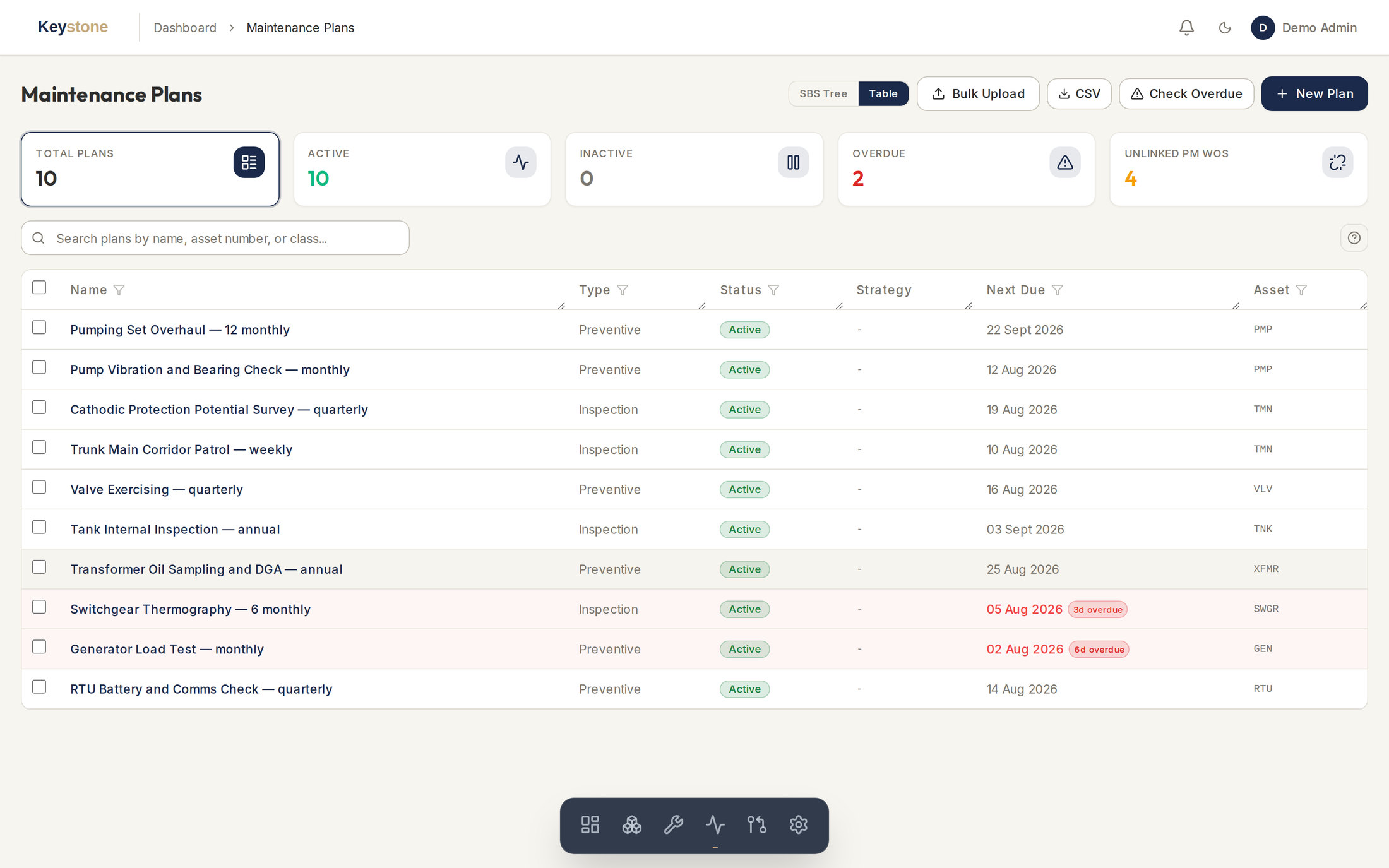
Maintenance Plans
Preventive and inspection plans built on reusable task lists, with strategy cycles from daily to two-yearly. The generation engine raises the work orders ahead of the due date. A scheduling view shows what is coming and who is free.
Notifications & Failures
Field staff raise notifications for failures and findings. Each one codes against a structured failure catalogue and can become a corrective work order. The coding is what later makes reliability analysis possible.
Spare Parts
Inventory by warehouse and bin, with minimum and maximum stock levels and low-stock alerts on the dashboard. Receipts, issues, adjustments and returns post as stock transactions and update the balance automatically.
Fuel Management
A dispensing log that records every issue against an asset, fuel farms and bowsers tracked as stocks, and fuel reports for consumption and reconciliation. Useful where diesel is a large share of the operating budget.
Cost, KPIs & Deferments
Cost is derived from confirmations, never keyed twice, and broken down by asset, work order type and labour against materials. KPI dashboards cover backlog, overdue work and PM compliance. Deferments go through a risk assessment and an approval step.
Roles, Vendors & Data
Role-based access for admins, managers, planners, technicians, reliability engineers and viewers, with per-person overrides. Vendor and cost centre registers. A full audit log. Excel import with row-level validation, and export from every list.
How it runs.
Keystone Asset is hosted software. There is no server to buy, patch or back up, and nothing to install on a workstation. Users open a browser and log in. PRAXIS runs the upgrades, the backups and the monitoring.
Onboarding starts with your data. Most operators arrive with an asset list in Excel and maintenance history in an older CMMS or in nobody's system at all. We map that into the asset register, load it, and check it with your engineers before anyone is asked to work in the system. That process is measured in weeks.
UAE data residency is available for operators with sovereignty obligations, on the same infrastructure PRAXIS uses for its government and regulated clients.
- Hosted, upgraded and monitored by PRAXIS
- UAE data residency available
- Browser-based, with no client-side infrastructure
- Onboarding measured in weeks
- Data migration from spreadsheets and legacy CMMS records
- Access controlled by role and by data scope
- Mobile execution views for technicians on site
- Aligned to ISO 55000 and SMRP practice
Two more products on the same asset data.
Keystone Asset holds the record: what you own, what condition it is in and what has been done to it. The other two products answer the questions that record raises. Each is sold on its own, and each is worth more when the register underneath it is Keystone Asset.
Keystone RISKSYS
Quantitative network risk. Build the network, describe how each asset ages and fails, then simulate to find where supply is lost first and which asset to fix to change that. It answers what a register cannot: which of these assets actually matters.
About Keystone RISKSYSKeystone Horizon
Asset investment planning. Horizon reads the register and the condition history and projects renewal need over a long horizon: remaining-life estimates at asset level, multi-year budget scenarios, and renewal cases for boards and regulators that trace back to the underlying asset data.
About Keystone HorizonRequest a Demo
We will take you through the system module by module on your own asset data. Write to sales@praxisam.com or use the contact form.